NBN Wi-Fi Woes? How to Set Up a Home Network That Actually Works
Most NBN complaints aren't the connection — they're the Wi-Fi inside the house. Here's how to place, cable and tune your home network so every room gets a usable signal.

6 min read
First, work out which NBN you've actually got
Before you move a cable, it's worth knowing what's coming into the house, because it decides what you can change.
- FTTP — fibre all the way to a box inside your home. The most flexible setup, but that box lives where the installer left it.
- FTTN or FTTC — the connection arrives on the old copper phone line, so that wall socket is your anchor point.
- HFC — it comes in on coaxial cable, often the same one the old pay TV used.
- Fixed wireless — a roof antenna and an indoor unit. The antenna is fixed; the indoor box has a little more give.
Here's the bit worth repeating: most "the NBN is useless" complaints are actually Wi-Fi problems inside the house. Your connection might be delivering exactly what you pay for, and the signal is dying somewhere between the front room and the back bedroom. That part you can fix.
Router placement beats any upgrade
If you only do one thing from this article, do this.
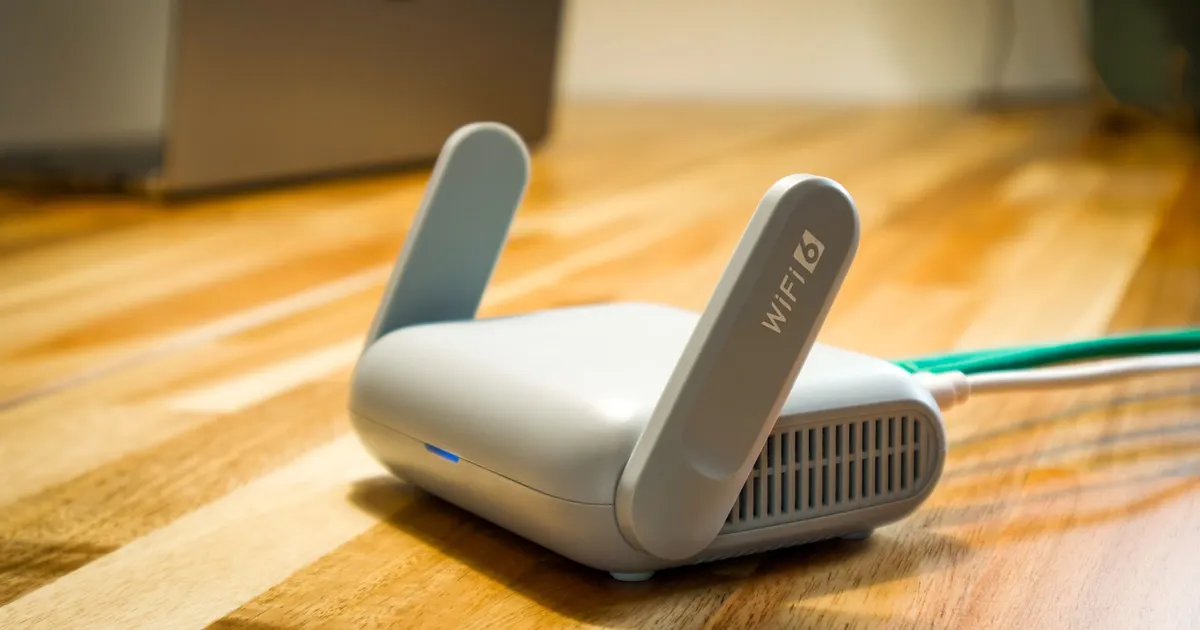
Put the router central, high and out in the open. Think of the signal as a torch beam — it works best with a clear line to where you're sitting.
- Get it off the floor and out of cupboards, especially metal ones and timber TV cabinets with solid doors.
- Keep it clear of the microwave, the cordless phone base and anything with a motor.
- Don't stack it on the TV, the amp and the console. That's a heat trap and a signal trap.
- With adjustable antennas, angle one vertically and one horizontally — phones and laptops hold theirs at different angles.
If your NBN box is in the garage
This is the most common setup failing in Australian homes, and it's brutal. A metal garage door, a couple of brick walls and a long stretch of house between you and the router is a lot to ask.
If you can't move the connection, treat the garage as an entry point only. Run a cable from there to a better spot, or put a mesh node near the garage door to do the heavy lifting. Don't try to blast through the whole house from inside a brick box.
Double brick, sarking and other local obstacles
Older double-brick homes in Perth, Adelaide and inner Melbourne are Wi-Fi's worst case. Brick, mortar and render absorb a lot, and foil roof sarking reflects signal back. A timber Queenslander with open plan and plasterboard is a holiday by comparison.
Signs you're fighting the building rather than the plan: full bars near the router, nothing two rooms away, and a signal that dies the moment a door closes.
Extenders, mesh or access points?
Wi-Fi extenders
Cheap and quick, but they repeat what they receive, so the speed that reaches them gets roughly halved on the way out. They also need a decent signal where you plug them in — often the exact problem. Fine for one dead corner, not a whole-house fix.
Mesh systems
Two or three nodes that talk to each other and hand your devices off as you walk around. This is the sweet spot for most Australian homes — double storey, long floor plans, a granny flat out the back. The catch is that wireless nodes use the same airwaves as your devices, so if you can wire them together, the whole thing becomes far more stable.
Access points on cable
The unglamorous winner. One or two ceiling or wall access points connected by Ethernet, and every room behaves. If you're renovating, or you've got a roof space you're happy to crawl through, this is the time.
Cabling: the fix nobody wants to hear
Ethernet beats Wi-Fi for anything that doesn't move — the TV, the desktop, the console, the work laptop dock. One run to the main living area removes a huge amount of load and makes everything else faster by default.
A few notes for Australian homes:
- Permanent telecommunications cabling needs to be done by a registered cabler. That's not a rule to work around, it's a legal requirement.
- In strata, check before drilling shared walls or running cable on common property.
- Existing phone or coaxial outlets can sometimes be used as a path for pulling new cable, which saves a lot of mess.
Bands, channels and crowded suburbs
2.4GHz versus 5GHz
The 2.4GHz band travels further and pushes through more stuff, but it's slower and permanently busy. The 5GHz band is faster and cleaner but hates walls. Most routers steer devices between them automatically; if yours does that badly, split them into separate network names and choose manually for the fussy gear.
When the whole street is on the same channel
Inner-city apartment blocks and dense new estates are a scrum. If your router lets you pick a channel, try a few and measure. In 2.4GHz, stay on the non-overlapping options rather than sitting on top of four neighbours.
Count your devices before you blame the plan
Add up everything connected: phones, laptops, tablets, streaming sticks, the TV, consoles, smart speakers, robot vacuum, cameras, doorbell, solar inverter, the car. It's common to find thirty or more in a family home, and a basic router with a low client limit will start dropping things well before that.
Put the fixed smart gear — cameras, plugs, sensors — on 2.4GHz, and keep a separate guest network so visitors aren't sitting on your main one.
Heat, storms and the Australian summer
A router in a garage or a west-facing room during a Perth or Brisbane heatwave is running in an oven. Overheating shows up as random afternoon dropouts that clear by night. Keep it ventilated, out of direct sun and off carpet.
Then there's storm season, and the wet season up north. Surge protection for anything plugged in is basic insurance. If you lose power regularly, a small battery backup for the router and the NBN box keeps you online through short outages — it won't help if the wider network is down, but it covers the little ones.
A simple setup order
- Find your NBN entry point and note the technology type.
- Put the router as central, high and open as you can.
- Run Ethernet from the entry point to the router if possible.
- Wire everything that doesn't move.
- Add mesh nodes or access points for the rooms still struggling.
- Tune or split your bands for stubborn devices.
- Test in the worst spot in the house, at the busiest time of day — usually a Sunday night.
Who this is for
This is for anyone whose connection tests fine but still buffers in the back bedroom, and for renters and owners who'd rather fix the signal than pay for a bigger plan they don't need. Start with placement, then cabling, then extra gear — in that order, you'll rarely need to go further.