One Desk, Many Humans: Organising a Shared Family Computer Area
A shared family computer desk is part office, part charging station and part lost property. Here's how to keep it usable through school terms, heatwaves and the Sunday night scramble.

5 min read

Photo: MART PRODUCTION / Pexels
Every shared desk starts the same way. One laptop, one chair, a clear surface. Six months later there's a tangle of cables, three dead AA batteries, a school newsletter from March and someone's forgotten headphones. The computer itself is rarely the problem. The system around it is.
This is a guide for the household that has one decent screen and four people who all need it at 7pm. No brand loyalty required — just a few habits and a bit of hardware.
Start with the chair and the light
Height matters more than horsepower
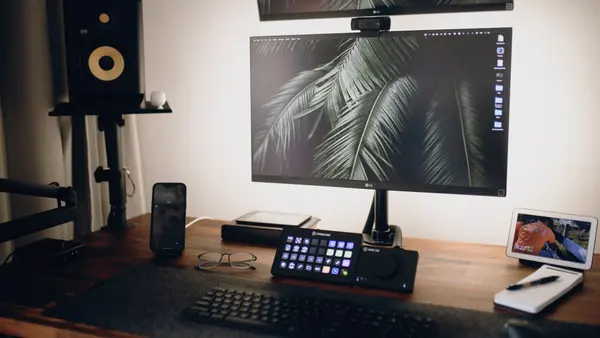
If four people use one desk, the chair needs to adjust. A footrest for shorter legs, a cushion for taller ones. The monitor should sit at eye level — a stack of books works, but a proper riser is less likely to topple. If the desk is shared by a primary schooler and an adult, consider a monitor arm so the screen can be pushed back or pulled forward without unplugging anything.
Light for Australian evenings
A west-facing spare room is lovely until 4pm in February. Afternoon glare makes any screen useless. A roller blind or a sheer curtain fixes it. For evening work, a warm desk lamp beats the ceiling downlight — less eye strain, and it doesn't wake the rest of the house.
Profiles are the whole game
One login per person
No shared "Family" account. Each person gets their own profile. Browser bookmarks, email, cloud drive, photo library — all separate. The only exception is a guest profile for visitors, which you can delete afterwards. This single change prevents most arguments about missing files and changed settings.
The shared folder that actually works
Create one folder called "House" on the desktop. Inside it, four subfolders: School, Bills, Manuals, Warranty. Everyone can read; only adults can delete. Name files with the date first, so they sort themselves: 2025-03-term1-fees.pdf. It takes ten minutes to set up and saves an hour every report season.
The school portal problem
Every school has a different login. Keep a small notebook in the desk drawer with portal names and usernames — never passwords. Passwords go in a password manager, or in your head. The notebook is for the "which one is it again" moments.
Storage that survives a school term
Cloud sync is fine until the NBN drops out. Keep a small external drive for photos, tax records and anything you'd hate to lose. Label USB sticks with a paint pen — "Year 10 assignments", "car rego", "tax 2024". The drawer of mystery cables gets one container, not the whole desk.
A simple rule: one in, one out. If a new cable comes into the house, an old one leaves. Otherwise the drawer becomes a snake pit by winter.
Cables, charging and the great Australian dust problem
Under-desk tray and velcro
Mount a powerboard under the desk with individual switches. Run charging cables through a cable tray or a series of adhesive clips. Label each cable with a wrap of washi tape or a bread tag — "phone", "tablet", "headphones". Use velcro ties, not zip ties, because you will need to change the setup.
Summer dust and coastal humidity
In January, dust builds up fast. Keep tower vents clear. Don't put the computer in a closed cupboard — it needs airflow. In humid coastal areas, run the aircon or a dehumidifier occasionally to stop condensation inside the case. If you live in a storm-prone area, a surge protector is not optional. Plug the computer and the router into it.
The charging station
A single charging station for phones and tablets, away from the desk, stops the desk becoming a nest of cables. A small basket per person works: phone, earbuds, watch, all in one place. The desk stays for work, not for overnight charging.
The desk surface rules
Water only. No Milo, no crackers, no Vegemite toast. One notebook, one pen cup, a small bin within reach. A shallow tray for "to file" paper. Everything else goes in a drawer. If the desk is in a shared room, a headphone hook on the side stops headphones being left on the keyboard.
Printing and the paperless myth
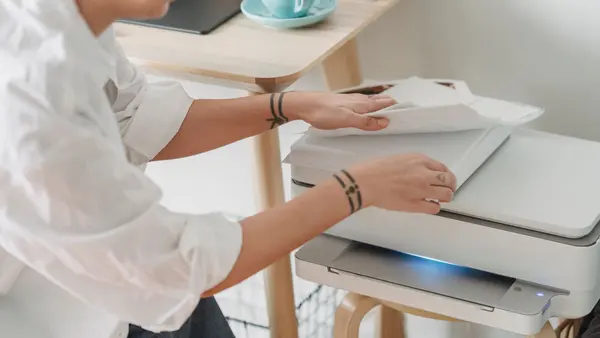
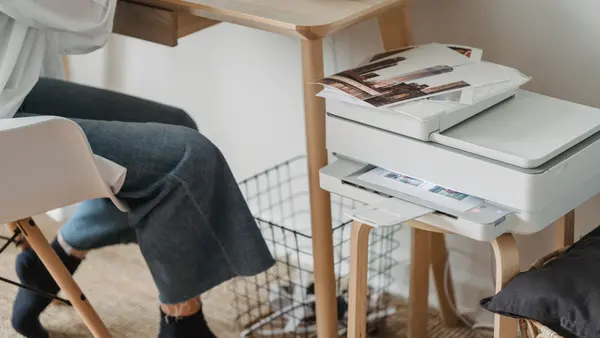
Schools still send paper. Keep two trays: one for "action" (permission slips, bills) and one for "file" (warranties, receipts). Scan with your phone if you need a digital copy. Don't let the action tray pile up past a week. A cheap shredder under the desk handles the sensitive stuff.
A rota that doesn't need an app
A whiteboard on the wall beats another app. Write the week's slots: 3–6pm weekdays is homework. 7–9pm is gaming or streaming. Sunday night is for printing and packing bags. Use a kitchen timer, not a phone alarm — phones distract. If someone needs longer, they negotiate at the whiteboard, not at the desk.
Seasonal maintenance
Summer
Heat is the enemy. Keep the desk out of direct sun. Clean vents monthly with a soft brush or a vacuum on low. If the room has no aircon, a small fan pointed at the case helps.
Winter
Cold rooms and condensation. Let the computer warm up before heavy use. Static is a risk on dry carpets — touch the desk frame before plugging in a USB stick.
Spring
Declutter. Wipe the keyboard with isopropyl and a microfibre cloth. Check cables for pet damage. If you have a cat, assume every cable is a toy until proven otherwise.
The one thing I would change
A switched powerboard with a long cord, mounted under the desk. It solves charging, cable mess and the "who left the printer on" argument. Everything else is just habits.
Quick checklist
- Chair adjusts to at least two heights
- One profile per person, plus a guest profile
- Shared "House" folder with date-first file names
- Labelled charging cables and velcro ties
- Under-desk powerboard with individual switches
- Surge protector for computer and router
- Paper trays: action and file
- Whiteboard rota with timer
- Monthly dust check
- One in, one out for cables