Picking an HP Printer for a Small Australian Home Office: A Practical Checklist
Most home-office printer regret starts with the wrong question. Here's how to work out your real print volume, ink habit and Wi-Fi situation before you look at a single spec sheet.

5 min read
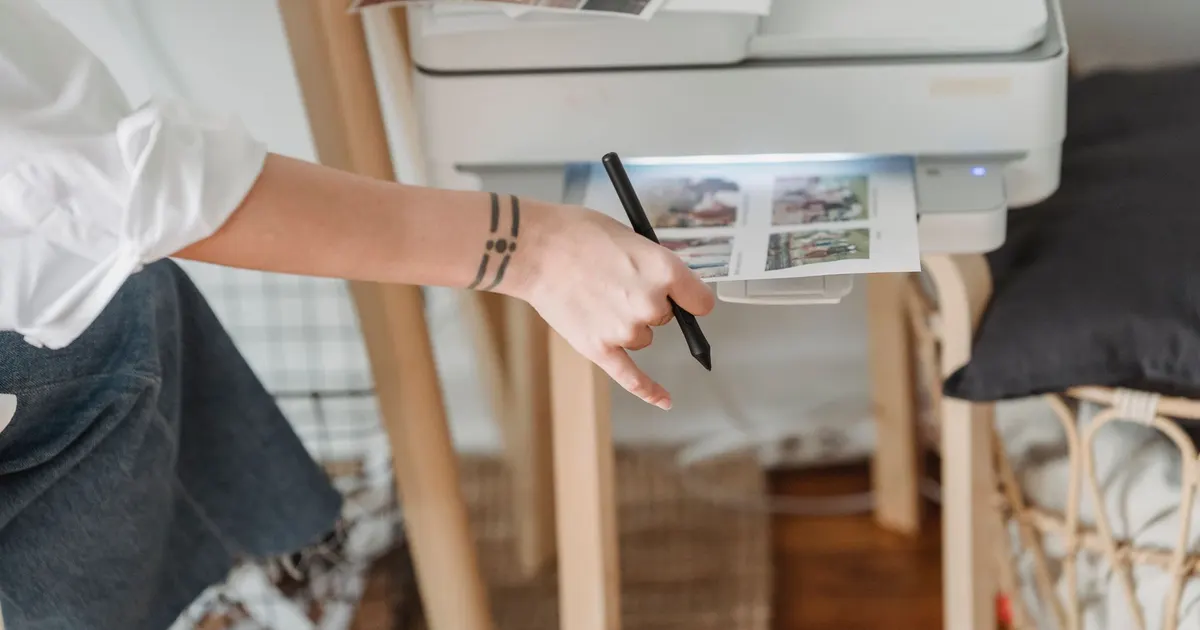
Photo: George Milton / Pexels
Work out your volume before you look at a single spec sheet
Every printer I've lived with has taught me the same thing: the box tells you what the machine can do, and nothing about what it costs to keep running. So start with the boring number — how many pages actually leave your desk in a month.
Be honest about it. Most small home offices print in bursts, then nothing for a fortnight, then a 60-page panic the night before something is due.
| What you actually print | Rough monthly volume | What to prioritise |
|---|---|---|
| Bills, forms, the odd school note | Under 20 pages | Small footprint, cheap cartridges, reliable wake-from-sleep |
| School and work mix, some colour | 20–80 pages | Automatic duplex, a document feeder, high-yield cartridges |
| Invoices, quotes, packing slips | 100–300 pages | Bigger paper tray, duplex, fast first page, tank or laser |
| Photos now and then | Bursts | A separate photo paper path and dye-based inks |
Duty cycle is not the same as monthly volume
Manufacturers quote a duty cycle — the maximum the machine can survive — and a recommended monthly volume. The second number is the one to care about. Live at the top of the duty cycle and you'll be shopping again sooner than you planned.
Ink: the decision you'll actually live with
Cartridges, tanks and subscriptions
There are three ways to pay for ink, and they behave very differently:
- Standard cartridges. Cheapest to start, worst per page, and they run dry mid-document.
- High-yield cartridges. More upfront, better per page, and they survive a quiet month without drama.
- Refillable tanks. Highest entry cost, lowest per page, best if you print steadily rather than in bursts.
Subscription ink
HP Instant Ink is an ink delivery service — the printer reports when ink is low and replacements are sent out. It rewards regularity. If you print 40 pages one month and nothing the next, do the maths on your own habit before signing up, because a subscription is priced for predictability. HP's official online shop lists it alongside the printers, ink and toner, so you can see how it's structured before you commit.
The heat-and-dust problem
Ink dries out. Toner is more forgiving. A printer sitting in a hot back room through a Darwin wet season or a Brisbane summer will clog faster than the same machine in a cool hallway in Hobart. If your only spare surface is the garage or the laundry, buy for that reality — or move the printer.
Wi-Fi, NBN and the 2.4GHz trap
Most home printers still only speak 2.4GHz. Most NBN routers now push both bands under one network name and let the router decide. That's where the "printer not found" loop starts.
What actually works:
- Set the printer up from the phone app while you're standing next to the router, not from the study.
- If your router lets you split the bands, give the 2.4GHz network its own name and join the printer to that one.
- Keep the printer on the main network, not the guest network — guest networks often stop devices from seeing each other.
- On a mesh system, check the printer is on the same network as your laptop rather than a satellite with its own settings.
- Keep a USB cable in the drawer. It's the fastest fix when Wi-Fi misbehaves at 9pm.
Worth checking before you buy: AirPrint for iPhone and iPad, Mopria for Android, and Wi-Fi Direct if you want to print without a router at all.
Paper, sizes and Australian conditions
A4 is the default here and it should be your default too. Letter is a distraction you'll never use.
- DL envelopes for anything you post.
- 10x15cm photo paper if you print pictures.
- 80gsm for everyday documents, heavier stock if you want double-sided pages to feel less like tracing paper.
Humidity is the quiet killer. Paper left open in a Brisbane laundry curls and jams; paper in a dry Adelaide summer picks up static and feeds two sheets at once. Keep reams sealed and store them somewhere your bread wouldn't go mouldy.
Where the printer lives
- Out of direct sun. UV and heat cook cartridges.
- Off the floor, away from dust and pet hair.
- On a surge-protected board, not sharing a power strip with a kettle or a heater.
- With air around it. A printer jammed into a closed cupboard overheats and jams more.
- Near the router if you can manage it. One wall makes more difference than any spec sheet.
The questions to ask before you buy
- How many pages a month will I really print?
- What does a page cost with the cartridge I'll actually buy — the high-yield one, not the starter?
- Does it duplex automatically, or will I flip pages by hand forever?
- Is there a document feeder, and does it scan both sides in one pass?
- Can I print from my phone without installing anything?
- Will it reconnect by itself after the router reboots?
- Does it keep printing black when a colour cartridge runs out? Some don't.
- How loud is it? Open-plan living and a shrieking printer are a bad match.
- What does it weigh, and will it fit the shelf I've actually got?
Support, drivers and the boring admin
Before you commit, check the driver situation for your operating system and write the serial number somewhere you'll find it again. HP's own store is the reference point for the current range — printers, ink, toner, paper, monitors and accessories — and it carries support resources including drivers, troubleshooting, repair status and warranty management. It's region-based with a country and language selector, so make sure you're looking at the right catalogue before you trust a spec sheet.
Register the product when you set it up. It takes two minutes and saves an argument later.
The one thing I'd change
The industry still sells printers on the purchase price and buries the cost per page in a footnote. If I could change one thing, it would be a mandatory running-cost label on the box, the way appliances carry an energy rating. Until that happens, do the maths yourself: cartridge yield divided by pages, multiplied by your monthly volume. It's the only number that decides whether a cheap printer stays cheap.
Before you tap pay
- Volume confirmed, not guessed.
- Cartridge type decided, with the high-yield price worked in.
- Wi-Fi band checked against your router.
- Paper size and storage sorted.
- Space, power and noise accounted for.
- Drivers and support checked for your system.
Some links on this page are affiliate links. If you buy through them we may earn a commission at no extra cost to you. Affiliate disclosure