Setting Up a Family Printer Station with HP in an Australian Home
A family printer station lives or dies by three things: where it sits, how it connects, and who owns the paper. Here's how to set one up so the whole household can print, scan and copy without a group chat meltdown.

7 min read
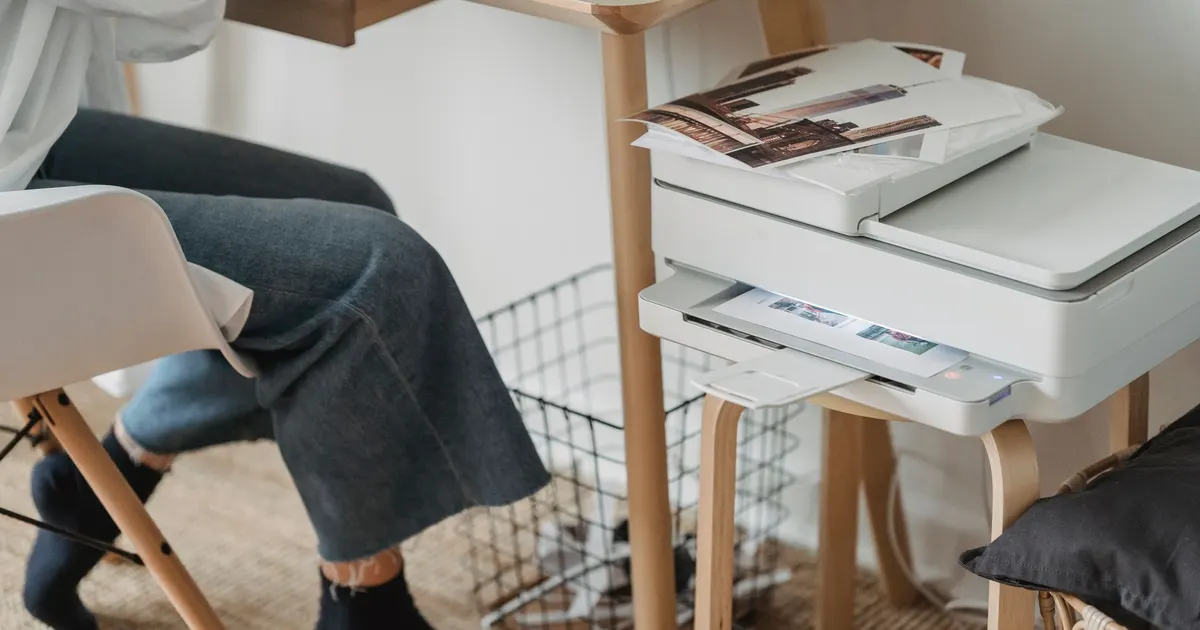
Photo: George Milton / Pexels
Start with the spot, not the printer
Most "printer problems" in Australian homes are actually placement problems. The spare room that bakes in January, the garage that swings between damp and dusty, the laundry bench beside the dryer — none of those are kind to a machine that has to feed paper straight and true.
What works:
- A hallway nook or the quiet end of a kitchen bench, out of direct sun.
- Bench height, so you're not crouching to load a tray or lift the lid.
- Close enough to a power point that no cord crosses a walkway.
- A hard, level surface. Carpet is not a surface.
- Somewhere you walk past daily, because a printer nobody looks at is a printer nobody maintains.
If you're in Brisbane, Darwin or anywhere on the coast, humidity does more damage than heat. A room that feels sticky to you feels sticky to a stack of paper, and damp paper curls, misfeeds and smears. If the only free spot is a shed or garage, expect to fight it.
Power and cables without the tangle
Don't piggyback the printer on a powerboard shared with a kettle, a heater or a charger that gets unplugged constantly. Every time that board is switched off mid-job, you're cleaning up a half-finished print and possibly a jam.
Velcro ties, a cable tray or a clip-on channel under the bench will do more for your sanity than any app. Label the power brick with a marker so you're not unplugging the wrong thing during a router reboot, and run cords behind furniture if you have pets or toddlers.
Keep one short cable in the drawer. Wireless is lovely until it isn't, and a cable means you can still print a form the night before it's due without debugging anything.
Wi-Fi that stays connected
The two-band trap
Most home routers broadcast two networks — one that travels further, one that's faster over short distances. Printers generally prefer the slower, longer-range one. If your printer keeps vanishing from the list on your phone, it's probably sitting on the wrong band. Set it up on the long-range network and leave it there.
Reserve its address
Log into your router and give the printer a fixed address so it keeps the same spot on the network. It's a short job that prevents the classic "but it printed yesterday" conversation.
Reboot order matters
When the broadband drops out, restart the router first, let it settle, then wake the printer. Doing it the other way around is why the printer sulks for an hour.
Set it up once so nobody has to ask you again
Name it something obvious
"HallwayPrinter" or "KitchenPrinter" — not the default string of letters and numbers. Everyone in the house should be able to spot it in a list without asking.
Install on every device that prints
The family laptop or desktop gets the full software package, which usually includes scanning. Phones and tablets just need the printer's own app, or the built-in wireless printing most modern phones already have. Do it for each person while you're in the mood, because repeating the job four times across a school term is miserable.
Set up scanning to somewhere shared
Scanning to a folder on the family computer, or to an email address everyone can see, beats scanning to the printer's own memory. Test it once with a dummy page so you know the destination actually exists.
Paper and ink in an Australian climate
Store paper like it's food
Reams left in a garage or a cupboard under a hot roof absorb moisture. Keep them sealed in a plastic tub with a moisture absorber and only open what you're about to use. Fan the stack before loading — that alone kills a lot of jams.
Buy paper that suits the job
Plain A4 for homework and forms, a small stack of heavier stock for school projects and photos, and envelopes for birthday invitations and Christmas cards. Keep them in the same tub so nobody has to hunt.
Keep one spare cartridge on hand
Post to regional areas can be slow, and ink always runs out on a Sunday night. A spare cartridge in the drawer is cheap insurance before a deadline. If you print heavily, a refillable-tank machine or a laser for text-heavy homes often works out better over time than a bargain printer with costly cartridges — but that's a decision to make before you buy, not after.
Change two settings and forget about it
Set double-sided printing as the default, and draft or greyscale for everyday jobs. Homework drafts don't need colour, and the kids won't change it back if you set it for them.
Build the station around the mess
The printer is the smallest part of the station. What stops the chaos:
- A shallow tray or drawer for paper, envelopes and the spare cartridge.
- An in-tray for "to scan" and an out-tray for "collected". Two trays, not a pile.
- A document wallet for permission slips waiting on a signature.
- A pen pot with a working pen, a highlighter and a marker for labelling.
- A scrap-paper tray for misprints — the kids will use the backs.
- A small bin, or the scrap tray becomes the bin.
- A microfibre cloth for the glass, because paper towel leaves lint.
Keep the surface clear. A printer station that doubles as a dumping ground is the reason you can't find the note you printed.
House rules that actually stick
- Preview before printing. Teach everyone to check the page range, because a long PDF sent by accident is a household event.
- Print, then collect. Nothing sits in the output tray overnight.
- One person owns the ink. Rotate the job each term and let that person keep a note of what's in the drawer.
- Check the queue before sending a big job — pending jobs are visible in the printer's app.
- Scan the signed note rather than posting it. Most schools accept a scan or a photo through their app, and it saves a trip.
- No printing from the couch late at night unless it's genuinely urgent. The machine is loud and the house is small.
Scanning and copying without the drama
Use the flatbed for anything with a signature, a stamp or a photo — a document feeder will chew the corners of a crumpled school note. Wipe the glass with the microfibre cloth before a photo, and place documents square to the edges so the scan isn't crooked.
Name scanned files with the date and the person's name, like "14-03 Mia excursion form". Future you will be grateful, and so will the other parent who has to find it.
For ID documents, scan both sides onto the one page if the app allows, and keep a copy in a folder you both can access. It saves re-scanning the same passport every time someone needs it.
Maintenance for a humid house
- Print a test page once a month if the printer sits idle — it keeps the nozzles from drying out.
- Keep the lid closed and the trays shut to keep dust out.
- Wipe the glass with a dry cloth, never a wet one.
- Run a page or two before and after the summer holidays. Long idle stretches in a hot house are when things seize up.
- If you're in a flood-prone area, keep the printer off the floor. A low shelf beats carpet every time.
When to replace rather than persist
If you're spending more time unjamming than printing, and the machine is several years old, replacement is usually the sensible call. Before you buy, think about what the household actually prints: mostly text points to a laser or a tank-fed model, while photos and school projects need something that handles heavier paper well. Then look at what the cartridges cost to run, not just what the box costs to buy.
Don't bin the old one. Most councils run e-waste drop-offs, and office supply shops often take cartridges back for recycling.
A five-minute setup checklist
- Pick a spot at bench height, out of sun, away from the dryer and the garage.
- Plug it into its own outlet and tidy the cable.
- Connect it to the long-range Wi-Fi band and reserve its address.
- Rename it to something the whole family recognises.
- Install the app on every phone and the full software on the family computer.
- Test a print, a scan and a copy — all three, once.
- Load the drawer with paper, envelopes, a spare cartridge and a cloth.
- Write the house rules on a sticky note and stick it to the wall.
Do that once and the printer stops being a source of arguments and goes back to being the boring appliance it was always meant to be.