How to Buy a Portable Projector Online in the UK: Brightness, Sound and Small Flats
Projector listings are full of inflated brightness claims and misleading resolution wording. Here's how to pick one that suits a British flat, a dark winter evening and a normal sofa.

6 min read
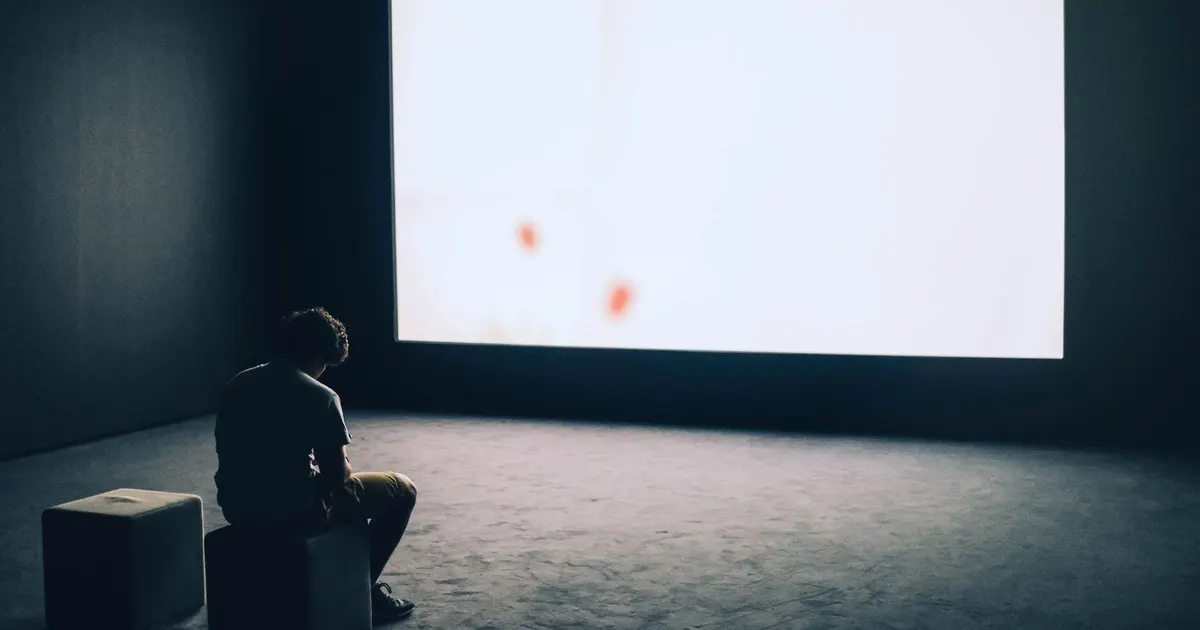
Photo: Adrien Olichon / Pexels
A projector is one of those buys that sounds like a gimmick until the first properly dark evening, when the rain is going sideways at the window and nobody fancies trekking to the cinema. Suddenly the blank wall in the front room looks like the best seat in the house.
The problem is the listings. Projector marketing is some of the silliest in tech: brightness figures that mean almost nothing, "supports 4K" in letters far bigger than the actual resolution, and product photos taken in rooms so dark you could develop film in them. Here's how to shop sensibly.
Start with the room, not the spec sheet
How much light you're actually fighting
A projector has to beat whatever light is already in the room. A south-facing living room with big sash windows and no blinds is a hard place to run one before dusk. A box room, a bedroom or a room with a decent blind is far more forgiving.
British weather works in your favour here. From October through to March it's dark by late afternoon, which means far more usable hours than you'd get in a sunnier country. Come June, though, you'll be waiting until nearly bedtime for a watchable picture — so be honest about when you'll actually use it.
Where it will sit, and how far back
The number that catches people out is throw distance: how far the projector needs to be from the wall to make a given image size. Cheap long-throw models need a surprising amount of space, which is awkward in a typical flat. Short-throw models sit close to the wall and are much easier to live with.
Also think about:
- Wall space wide enough for the picture you want, with nothing in the way
- Whether it goes on a shelf, a side table or a ceiling mount — and whether you're allowed to drill in a rented place
- Whether people will walk through the beam every time they go for a brew
- Where the power socket is, and whether a trailing cable is a trip hazard
The numbers worth reading properly
Brightness
Look for ANSI lumens, not "light source lumens" or vague "LED lumens". The second set of figures always flatters, and the honest measurement is the one done to a standard. Even then, treat the headline figure as a best case.
Brighter isn't automatically better. In a small, dark room a very bright projector can feel harsh, and the extra output usually comes with more fan noise and heat. Match it to the room.
Resolution
Native resolution is the real one. "Supports" or "compatible with" a higher resolution simply means the projector accepts the signal and scales it down. A native 1080p unit is the sensible target for film and telly; lower native resolutions are fine for casual viewing but you'll notice the softness on text and subtitles.
Contrast and colour
In a dark room, black levels matter more than peak brightness. Cheap projectors produce grey where black should be, which makes night scenes look milky and washed out. Look for reviews with real photos of dark scenes rather than the manufacturer's glossy shots, and pay attention to how skin tones come across.
Sound, streaming and connections
Built-in speakers
Assume they're a stopgap. Small drivers in a small box sound thin, and the fan is competing with them. If you already have a soundbar or a decent Bluetooth speaker, check how the projector connects: a headphone jack, an optical output, HDMI ARC or Bluetooth audio. A projector with no audio output at all is a trap.
Apps, sticks and updates
Many projectors run their own app store, and it's often slow, poorly updated or missing the UK catch-up services you actually watch. The reliable route is a streaming stick plugged into an HDMI port, which also gets you a familiar interface and regular updates.
Check how many HDMI ports there are, what version they are, and whether there's a USB port that can power a stick.
Wi-Fi and casting
Older flats with thick walls and the router in the hallway are not kind to wireless streaming. If your Wi-Fi is patchy where the projector will live, plan for a stick with an ethernet adapter or a powerline kit. Casting from a phone is handy for a quick clip, but it's rarely reliable enough for a whole film.
The things nobody mentions until week two
Fan noise
This is the single most common complaint about small projectors. They work hard and they get loud, especially in bright mode. Look for a quiet or eco setting, and put the unit behind or beside you rather than next to your head.
Heat, dust and filters
Projectors need airflow. Boxing one into a closed shelf is a recipe for overheating and a shortened life. Keep the vents clear, and if the model has a filter, clean it as the manual suggests. Dust is the quiet killer of brightness.
Lamps and lifespan
Traditional lamps dim gradually and can be replaced. LED and laser light sources last far longer and fade more slowly, but they're usually not user-replaceable. Before buying, check what's replaceable, whether spare parts are stocked for the UK, and how easy it is to get the thing repaired rather than binned.
Keystone, focus and setup
Digital keystone correction squares up a skewed image, but it does so by softening the picture. Optical or automatic correction is better. Manual focus wheels are fine, though cheap ones can drift over time — worth checking reviews for that specific grumble.
Buying online without the regret
Read the returns policy before you pay
You can change your mind on a distance purchase, but the details matter: who pays return postage, whether the box needs to be unopened, and how a used-once projector is treated. Bulky or fragile items can be awkward to send back, so check the process rather than assuming it's simple.
Check what's in the box
Cables, remote, batteries, carry case, stand. A missing remote is a surprisingly common complaint, and a short or absent HDMI cable means another order before you can watch anything.
Know who you're buying from
Sold and shipped by whom? Is there UK-based support if something goes wrong? Are spare parts and consumables available here, or is it a grey import with no route to repair? A slightly duller listing from a seller with proper UK support is usually the better buy.
Accessories worth budgeting for
- A pull-down screen, or at least a matt white wall — gloss paint shows every lump and ripple
- A small shelf, stand or bracket so the projector isn't balanced on a stack of books
- A longer HDMI cable than you think you need
- A surge-protected extension lead, because these things live on the floor
A quick checklist before you click buy
- Native resolution, not "supports"
- ANSI lumens, and a realistic idea of your room's light
- Throw distance measured against your actual wall
- At least one audio output you can use
- HDMI ports you can reach, plus USB power for a stick
- Reviews that mention fan noise, dust and dark scenes
- A returns process you'd be happy to use
- UK support and available spare parts
The verdict
A projector is a genuinely lovely thing to own in a British winter. It turns an ordinary evening in a small flat into something a bit more special, and it packs away when you need the wall back. Buy for the room you have rather than the room in the marketing photos, ignore the inflated brightness claims, and sort your sound and streaming before you order. Do that and you'll get far more out of it than the people who bought on the biggest number they could find.