How to Buy a Smart Doorbell Online in the UK: Wiring, Wi-Fi and Flats
Front doors are the worst place in the house for Wi-Fi and the best place for weather. Here's how to choose a video doorbell that suits your wiring, your walls and your building before you order.

6 min read
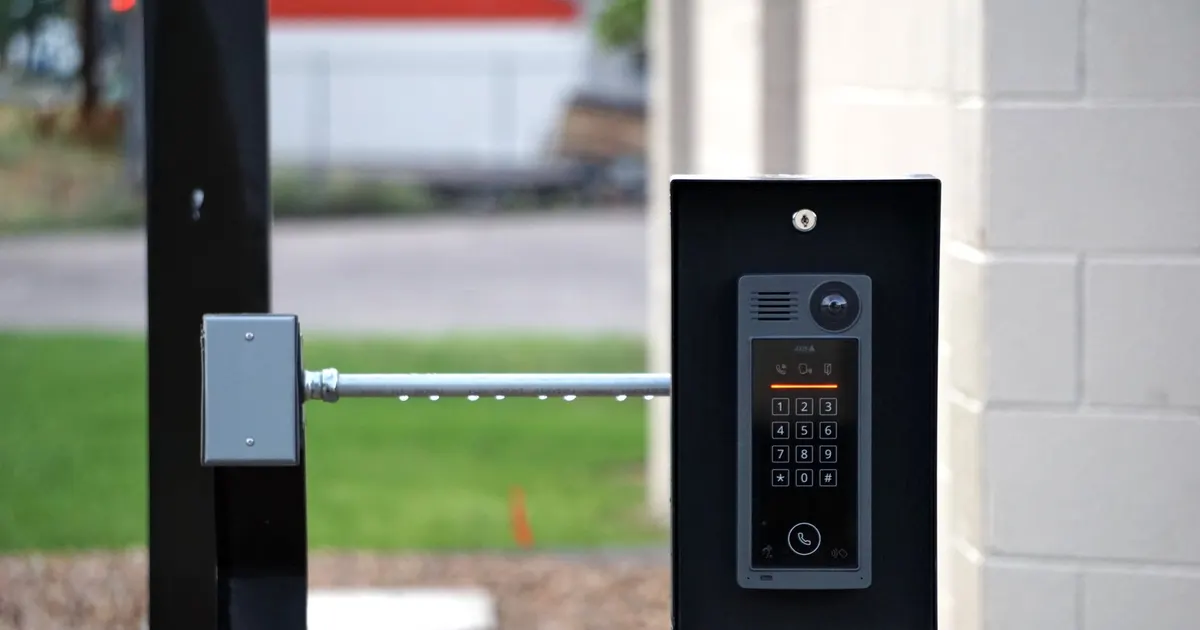
Photo: Joshua Brown / Pexels
Start with your front door, not the listing
Most people shop for a video doorbell the way they shop for a phone: filter by camera quality, pick a shape they like, order. Then it arrives and the awkward bits surface. The Wi-Fi doesn't reach the front step. The existing chime turns out to be incompatible. The landlord isn't thrilled about holes in the door frame.
A better order of thinking is simpler: what does your front door actually look like, and what do you want the bell to do?
Three questions before you browse
- Who comes to the door? Couriers, family, nobody much. If it's mostly parcels, you want a clear view of the doorstep and the path, not a flattering close-up of a face.
- Is anyone usually in? If the house is empty during the day, live view and recorded clips matter far more than a loud chime.
- Is the door sheltered? A recessed porch in a terrace and an exposed door on a coastal hill are two very different homes for a small camera.
Power: battery, wired or both
This is the decision that causes the most frustration, and it's worth settling before you look at anything else.
Battery models need no wiring, so they can go almost anywhere. The trade-off is charging. A cold snap shortens battery life noticeably, so expect to top it up more often in January than in June. Some models can take a trickle charge from existing doorbell wiring, which is the best of both worlds if you have the wires.
Wired models use the doorbell wiring and transformer you already have. Before buying, check two things: the transformer's voltage, and whether your indoor chime is mechanical or digital. Mechanical chimes often need a small bypass kit fitted inside the chime unit; some digital chimes won't work with a doorbell at all and need replacing.
If you have no existing wiring, a wired install means an electrician, a new cable run and a hole in the wall. If you rent, or the wiring is older than the wallpaper, battery plus a spare is usually the calmer choice.
Will your Wi-Fi actually reach the door?
Front doors are the worst place in a British house for signal. Victorian brick, foil-backed insulation, a metal door, a thick porch wall — all of it eats into a wireless signal.
How to test before you buy
Stand at the front door, turn off mobile data, and try to load a heavy page on your phone. If it stutters, a doorbell will too.
- Move a mesh node closer to the front of the house — a hallway or front room beats a back bedroom every time.
- Most doorbells run on the 2.4GHz band, which travels further through walls but is more crowded. That's normal; don't assume a faster band will help at the door.
- Test in the exact spot you plan to mount. Half a metre to the left can make a surprising difference.
- If the signal simply isn't there, a model with a separate indoor chime unit that repeats the signal can rescue the situation.
Flats, shared doors and rented homes
This is where a lot of UK buyers come unstuck, and it's worth a bit of thought before ordering.
If you live in a block with a communal entry door, you may not have the right to mount anything on it. Leasehold agreements often restrict fixtures to shared walls and doors, and a buzzer system that belongs to the building shouldn't be interfered with. A doorbell on your own flat door, inside the communal hallway, is usually the workable option — but check the rules first.
For renters, no-drill mounts and strong exterior adhesive are popular, though adhesive struggles in cold, damp weather. Clean the surface, let it dry fully, and give it time to cure before hanging anything heavy. A door-frame clamp is another option where the frame allows it.
Where a doorbell genuinely shouldn't go:
- On a communal door you don't control
- Anywhere it points at a neighbour's door, window or letterbox
- Over a shared hallway where it would record everyone's comings and goings
What to look at in the camera spec
- Field of view. Wide is good, but a head-to-toe view that includes the doorstep beats a number on a page.
- Aspect ratio. A taller, squarer picture shows a person and the parcel at their feet. A wide letterbox view shows more path and less parcel.
- Night vision. Infrared works fine in the dark, but a built-in light gives colour at night, which helps you describe a face, a coat or a van.
- Handling bright sun. If your door faces east or west, low sun can wash out the picture for part of the day. Look for a model that copes with strong backlight.
- Two-way audio. Useful for "leave it in the porch". Less useful in a gale.
Storage, subscriptions and privacy
Some doorbells record to a memory card or a base station inside the house. Others need a cloud plan for anything beyond a live view. Decide whether you're happy with an ongoing cost before you buy, and check what works without it — live view, motion alerts and the indoor chime usually do.
On privacy: point the camera at your own doorstep, not the pavement or a neighbour's window. If you're recording a shared space, tell the people who use it. Sharing clips with the police or posting them on social media is a decision worth a moment's thought rather than a temper.
Weather, mounting and the small stuff
- Weatherproofing. A north-facing door in Manchester sees far more rain than a sheltered porch in Kent. Check the rating rather than trusting the photos.
- Coastal air. Salt corrodes cheap metal brackets. Stainless steel or plastic housings last longer.
- Cold. Battery life drops in a hard frost. Keep a charged spare, or choose a model that takes a wired trickle charge.
- Mounting height. Roughly chest height gives a good head-to-toe view for most people. Too high and you'll spend your life looking at the tops of heads.
- Angle mounts. Worth considering if your door faces a wall or you need to see round a porch pillar.
Before you click buy: a quick checklist
- Does your Wi-Fi reach the mounting spot?
- Is your existing chime mechanical or digital, and is it compatible?
- Do you know your transformer's voltage?
- Is the model rated for outdoor use in British weather?
- Will it work without a subscription for the basics?
- Do you have permission if you rent or live in a flat?
- Does the view cover the doorstep and the path?
- Is there a sensible way to mount it without drilling if you need one?
Fitting it without a drama
Turn the power off at the consumer unit before touching any doorbell wiring — no exceptions. Photograph the existing wiring before you disconnect anything, because you will forget which wire went where.
Before screwing anything down, hold the doorbell roughly in place, open the app and check the view and the signal. It's far easier to move it now than after the holes are drilled. Seal any new cable entry and screw holes with exterior sealant, and check the chime and app notifications together so you're not relying on one or the other.
The short version
Buy for your door, not for the spec sheet. Sort the power question first, test your Wi-Fi at the exact spot, think about who shares your building, and be honest about whether you want an ongoing subscription. Do those four things and a video doorbell becomes a genuinely useful bit of kit rather than another gadget that sits in a drawer waiting for a firmware update.